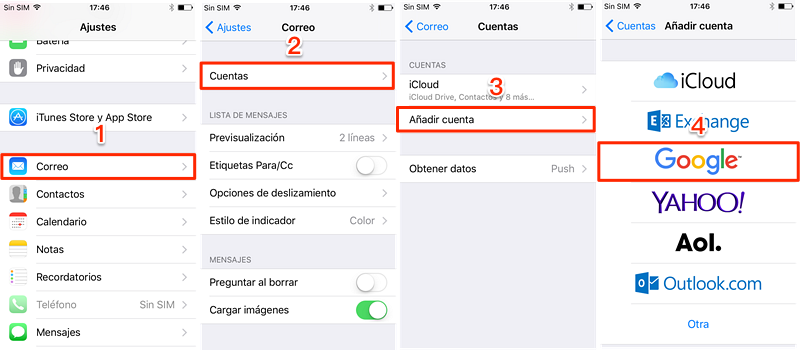
Your How to bypass iphone lock screen images are ready. How to bypass iphone lock screen are a topic that is being searched for and liked by netizens now. You can Get the How to bypass iphone lock screen files here. Download all free photos.
If you’re searching for how to bypass iphone lock screen images information linked to the how to bypass iphone lock screen topic, you have pay a visit to the ideal site. Our website frequently gives you suggestions for downloading the highest quality video and picture content, please kindly hunt and locate more enlightening video content and images that fit your interests.
How To Bypass Iphone Lock Screen. In the opening dialog where gives you option to restore or update the locked iPhone. All you need to do is connecting your iPhone to the computer. Remove 4 Screen Lock Types - Pattern PIN Password Fingerprints. Fully compatible with all iDevice models and iOS versions.
 Bypass Icloud Lock Iphone 6 Iphone 6 Plus Remove Icloud Lock Unlock Iphone Icloud Unlock Iphone Free From pinterest.com
Heres how you can bypass iPhone lock screen using Tenorshare 4uKey. In order to bypass the lock screens security code this is what youll have to do. Then select Screen Unlock among the modules. All you need to do is connecting your iPhone to the computer. Pick up a USB cable to link your iPhone to the computer and wait until the program recognizes it. HttpsbitlyUnlockDisablediPhoneSecret Life hack which can unlock.
Heres how you can bypass iPhone lock screen using Tenorshare 4uKey.
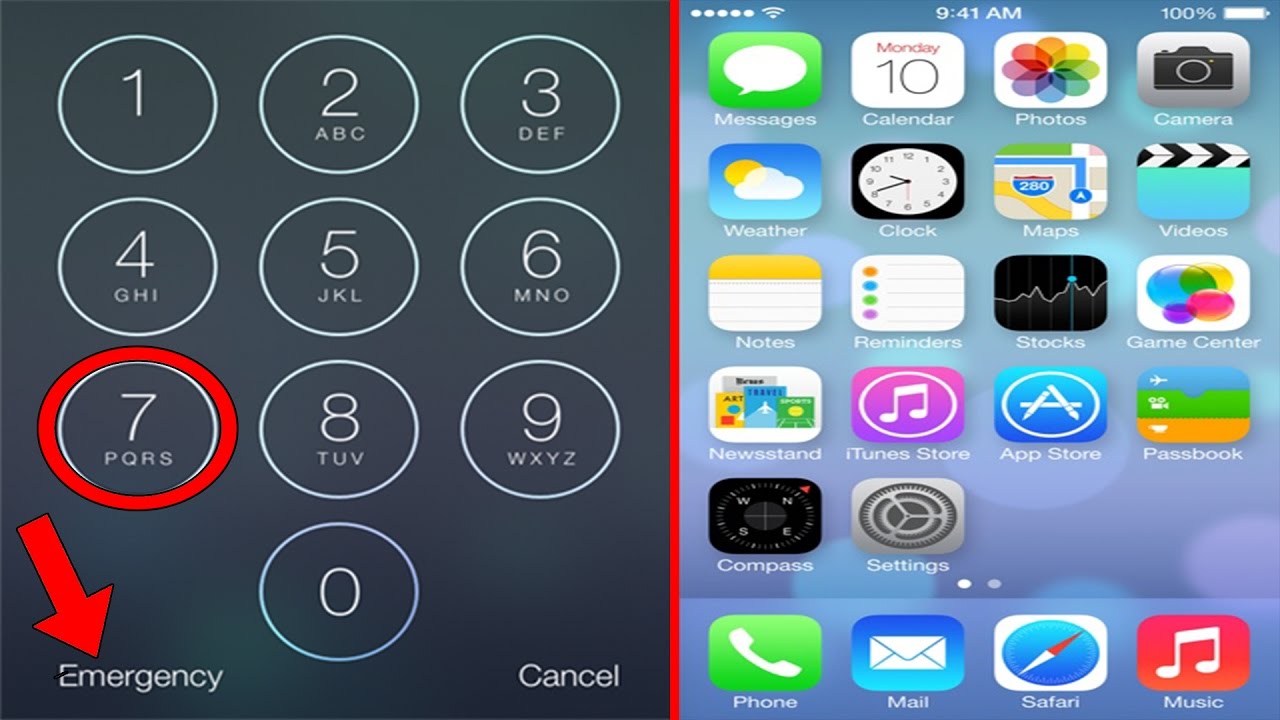
Hold on the Home button for a few seconds to activate Siri on your iPhone. Ad Bypass Password Forgotten iCloud Account on iPhone without iTunes. From there look for. Although the technique would eradicate all the data off your device but you can restore after the device is bypassed if you have created a backup of all the contents. 1 On the code entry screen press Emergency Call 2 Then press Emergency Contacts 3 Press the Home button once 4 Just after pressing the Home button press the power button quickly 5 If successful pressing the power button again will bring you. Ad Bypass Password Forgotten iCloud Account on iPhone without iTunes.
 Source: pinterest.com
Open Finder or iTunes app on your computer if its opened automatically. Ad 1 Click to Unlock iPhone iPad Android Phones without Passcode. The most effective way to bypass iPhone Passcode is by utilizing the iTunes. After launching find a. Open Finder or iTunes app on your computer if its opened automatically.
 Source: pinterest.com
Ad 1 Click to Unlock iPhone iPad Android Phones without Passcode. From there tap Emergency Call. The most effective way to bypass iPhone Passcode is by utilizing the iTunes. Download and install the iOS Unlock on a computer. Fully compatible with all iDevice models and iOS versions.
 Source: ru.pinterest.com
From there look for. 1 On the code entry screen press Emergency Call 2 Then press Emergency Contacts 3 Press the Home button once 4 Just after pressing the Home button press the power button quickly 5 If successful pressing the power button again will bring you. Pick up a USB cable to link your iPhone to the computer and wait until the program recognizes it. The bug was discovered by Sean McMillan. Afterward click Unlock iOS Screen from the program screen.
 Source: pinterest.com
From there look for. Ad Bypass Password Forgotten iCloud Account on iPhone without iTunes. From there tap Emergency Call. Afterward click Unlock iOS Screen from the program screen. Bypass iPhone Lock Screen with iTunes.
Source: pinterest.com
Bypass iPhone Lock Screen with iTunes. You can restore your phone and perform iPhone bypass with DrFone - Screen Unlock by following these steps. Ad Bypass Password Forgotten iCloud Account on iPhone without iTunes. Hold the Power button on the top of the device until it warrants the slide to turn off. Remove 4 Screen Lock Types - Pattern PIN Password Fingerprints.
 Source: pinterest.com
It can prove that you are the real owner of this locked iPhone. Remove 4 Screen Lock Types - Pattern PIN Password Fingerprints. Heres how to break into an iPhone without passcode using iOS Unlock. Also you need to provide your Apple ID and password. DrFone - Screen Unlock iOS Delete Apple ID and iCloud Account Remove the 4-digit6-digit passcode Touch ID and Face ID.
 Source: pinterest.com
You will be asked to enter your iCloud account credentials. Afterward click Unlock iOS Screen from the program screen. HttpsbitlyUnlockDisablediPhoneSecret Life hack which can unlock. From there tap Emergency Call. Pick up a USB cable to link your iPhone to the computer and wait until the program recognizes it.
 Source: pinterest.com
Hold on the Home button for a few seconds to activate Siri on your iPhone. Heres how you can bypass iPhone lock screen using Tenorshare 4uKey. All you need to do is connecting your iPhone to the computer. The bug was discovered by Sean McMillan. Ad Bypass Password Forgotten iCloud Account on iPhone without iTunes.
 Source: pinterest.com
Ad Bypass Password Forgotten iCloud Account on iPhone without iTunes. In the opening dialog where gives you option to restore or update the locked iPhone. In order to bypass the lock screens security code this is what youll have to do. Ask Siri What is the time now and Siri will display the local time. Now run the set-up file to install Tenorshare 4uKey on your computer.
 Source: pinterest.com
Bypass iPhone Lock Screen with iTunes. Otherwise we think you should try the UkeySoft Unlocker app which is the only way you can unlock an iPhone without any restrictions. Fully compatible with all iDevice models and iOS versions. Bypass iPhone Lock Screen with iTunes. It can prove that you are the real owner of this locked iPhone.
 Source: pinterest.com
All you need to do is connecting your iPhone to the computer. Open Finder or iTunes app on your computer if its opened automatically. Here is how to bypass iPhone lock screen without password through Siri. Afterward click Unlock iOS Screen from the program screen. In the opening dialog where gives you option to restore or update the locked iPhone.
 Source: pinterest.com
Open Finder or iTunes app on your computer if its opened automatically. Otherwise we think you should try the UkeySoft Unlocker app which is the only way you can unlock an iPhone without any restrictions. Enter the iCloud account login information and you will be taken to the iClouds dashboard. Go to Tenorshare website and download the tool. You can restore your phone and perform iPhone bypass with DrFone - Screen Unlock by following these steps.
 Source: pinterest.com
Also you need to provide your Apple ID and password. Heres how to break into an iPhone without passcode using iOS Unlock. 3 Steps for Everyone Do It Yourself. Select Restore Reinstalling iOS software on your iPhone to erase your data and bypass the iPhone Lock Screen takes several minutes. Open Finder or iTunes app on your computer if its opened automatically.
 Source: pinterest.com
Heres how to break into an iPhone without passcode using iOS Unlock. HttpsbitlyUnlockDisablediPhoneSecret Life hack which can unlock. Pick up a USB cable to link your iPhone to the computer and wait until the program recognizes it. You can try 4uKey to by iPhoneiPad lockscreen easy and fast. Then select Screen Unlock among the modules.
 Source: pinterest.com
Ask Siri What is the time now and Siri will display the local time. Select Restore Reinstalling iOS software on your iPhone to erase your data and bypass the iPhone Lock Screen takes several minutes. Enter the iCloud account login information and you will be taken to the iClouds dashboard. A few clicks and the iOS lock screen are gone. Tap on the clock icon which will bring you to the menu of the World Clock.
 Source: pinterest.com
You can restore your phone and perform iPhone bypass with DrFone - Screen Unlock by following these steps. Ask Siri What is the time now and Siri will display the local time. You will be asked to enter your iCloud account credentials. DrFone - Screen Unlock iOS Delete Apple ID and iCloud Account Remove the 4-digit6-digit passcode Touch ID and Face ID. Remove 4 Screen Lock Types - Pattern PIN Password Fingerprints.
 Source: pinterest.com
Heres how you can bypass iPhone lock screen using Tenorshare 4uKey. You will be asked to enter your iCloud account credentials. Then select Screen Unlock among the modules. HttpsbitlyUnlockDisablediPhoneSecret Life hack which can unlock. You can restore your phone and perform iPhone bypass with DrFone - Screen Unlock by following these steps.
 Source: pinterest.com
Now run the set-up file to install Tenorshare 4uKey on your computer. The most effective way to bypass iPhone Passcode is by utilizing the iTunes. Later do as the on-screen iPhone passcode bypass instruction to regain your iPhone. After launching find a. 3 Steps for Everyone Do It Yourself.
This site is an open community for users to do sharing their favorite wallpapers on the internet, all images or pictures in this website are for personal wallpaper use only, it is stricly prohibited to use this wallpaper for commercial purposes, if you are the author and find this image is shared without your permission, please kindly raise a DMCA report to Us.
If you find this site serviceableness, please support us by sharing this posts to your favorite social media accounts like Facebook, Instagram and so on or you can also save this blog page with the title how to bypass iphone lock screen by using Ctrl + D for devices a laptop with a Windows operating system or Command + D for laptops with an Apple operating system. If you use a smartphone, you can also use the drawer menu of the browser you are using. Whether it’s a Windows, Mac, iOS or Android operating system, you will still be able to bookmark this website.